Templates
Updating preview…
Free preview: 480px, watermarked. Paid files: no watermark.
Seal Designs to Start From
Load a ready-made seal into the editor and swap in your own name, registration number, and emblem — every element stays editable.






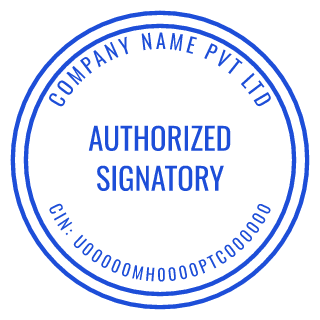

What This Seal Generator Makes
The classic seal is round: the organization's name arcs around the outer rim, a second line — registration number, state, or founding year — runs along the bottom, and the center holds a short phrase like “CORPORATE SEAL” or an emblem. That structure is the default here, with sliders for border style (single, double, triple, dashed, dotted), ring text, letter spacing, and ink color. Because the layout is parameter-driven rather than a free-drag canvas, the text stays centered on its arc no matter what you type.
Beyond the corporate layout, the same controls cover official-style designs (court, government, and institutional layouts for non-official use), decorative badge seals for packaging and certificates, and Chinese name seals. If you need to create a seal for a company, the company seal templates page collects the standard layouts, and USA company seal examples shows what US corporation and LLC seals conventionally contain.
Every design shows its export dimensions in millimeters. The document view places it in proportion on a sample A4 page. The free download is a 480px watermarked JPG for checking the layout in place; the paid export unlocks a 6000px transparent PNG, an SVG with text converted to outlines for manufacturers, and a PDF at the seal's exact physical size.
How to Create a Seal Online
- Step 1
Pick a seal layout.
Start from a company seal, official-style, or decorative preset above — or open a blank circle and build the rings yourself.
- Step 2
Make it yours.
Type the organization name into the outer ring, set the bottom arc to a registration number or year, choose a center emblem, and pick the ink color and border style.
- Step 3
Export the seal.
Grab the free watermarked JPG to test the design, or buy once for the clean high-res PNG, outlined SVG, and true-size PDF — no account needed.
Seal Maker FAQ
Is this seal maker free to use?
Designing is free with no signup: every control in the editor is unlocked, and you can download a 480px watermarked JPG at no cost to check the layout. The watermark-free, high-resolution files (transparent PNG, outlined SVG, print-ready PDF) are a one-time purchase of $2.50–$3.50 per design.
What's the difference between a seal and a stamp?
In everyday office use the words overlap almost completely. "Seal" usually points at the formal end — a round mark with the organization's name around the rim, used on certificates and corporate paperwork, sometimes embossed rather than inked. "Stamp" covers the whole family, including rectangular date, received, and address marks. This editor makes both; the layout controls are the same.
Can I create a legally official seal here — notary, court, or government?
You can design the artwork, but legal authority never comes from the graphic. Notary and government seals are regulated: the issuing authority controls the required wording, and in many places the seal must be commissioned or registered. Use these layouts as a draft, then confirm requirements with the relevant authority. Decorative government-style designs are fine for non-official use.
Which file do I send to a stamp or embosser manufacturer?
The SVG. It's exported as single-color vector paths with every letter converted to outlines, in your seal's exact proportions — the format engravers and stamp makers cut dies from without asking for your fonts. The SVG carries no physical units, so tell the maker the size in millimeters shown in the editor. Uploaded logos and aging textures remain raster images inside the SVG; ask your manufacturer whether those suit its process.
Can I put my own logo in the middle of the seal?
Yes. Open Center, choose Logo, and upload a PNG, JPG or SVG up to 5 MB. Adjust its size and remove a white background if needed. Logos use the selected ink color and remain embedded images in SVG exports.
What sizes can a seal be?
Round and square seals run from 20 to 60 mm, rectangular layouts up to 90 mm wide — all set in real millimeters, and the PDF export prints at exactly that size. The 38–42 mm range covers most round company seals and self-inking plates.